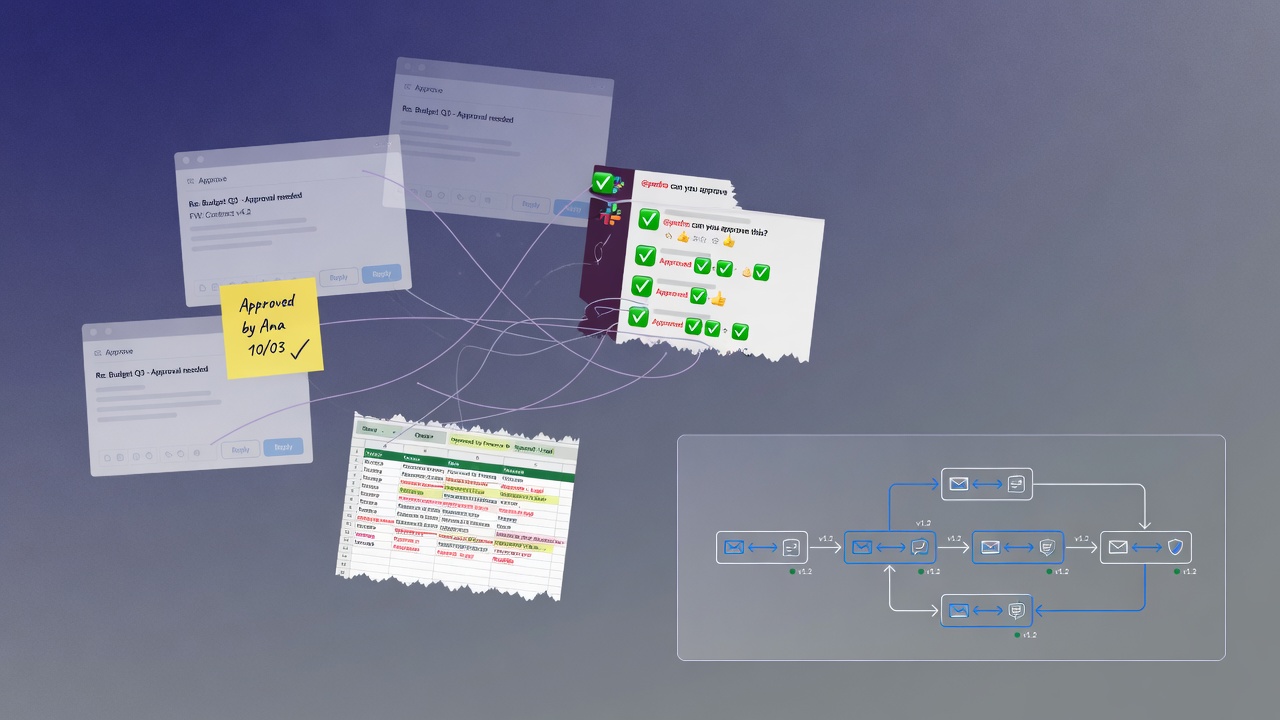
In many companies, the question "was this approved?" still depends on scrolling through Slack, searching email, or the memory of whoever was in the meeting. Each incident seems small — a few minutes to reconstruct a decision — but the aggregate cost grows with volume: remote teams, B2B operations with governance requirements, and increasingly, automations and AI agents taking actions that require documented human oversight.
This article describes where approvals usually get stuck today, what it costs in practice, and what changes when approval stops being a manual exception and becomes infrastructure.
Where approvals really live today
When we ask "how do you approve X?" to teams without a formal process, the answer usually falls into one of these categories:
- Email with "ok": someone sends a document, someone replies "approved". There is no clear link between the approved version and the response; in an audit or dispute, the team manually rebuilds the history.
- Slack or Teams: fast for day-to-day work, but the message disappears in the flow. Who approved, when, and the exact object remain ambiguous.
- Shared spreadsheet: a "status" column edited by hand. Drive history helps, but is rarely consulted systematically.
- Legacy internal system: works most of the time, breaks on edge cases, and accumulates technical debt no one wants to own.
None of these approaches is uncommon. The point is that the cost of maintaining them rises as the company scales and as clients or auditors start requesting structured evidence.
What it is really costing
Three types of damage appear frequently:
1. Decisions that need to be reconfirmed.
Without a central record, no one trusts the "it’s approved" on the first try. Requesters go back to the approver; approvers spend time repeating confirmations. In flows with senior participants, this becomes hours of C-level time per month just to validate what had already been decided.
2. Compliance risk that only becomes visible at audit time.
Frameworks such as LGPD, SOC 2, and ISO 27001 require, in relevant contexts, evidence of who approved what and when. When the auditor asks for the last 90 days of history, "we have Slack screenshots" is rarely enough. The gap appears late and is expensive to close.
3. Operational friction and process bypass.
Whoever needs the approval chases status; whoever approves gets interrupted; whoever operates reconstructs history afterward. Poor processes encourage informal shortcuts — and, without realizing it, the organization starts operating outside its own controls.
Symptoms that informal no longer scales
Common signs, even in mid-sized companies:
- The same approval request arrives through different channels (email, Slack, direct message).
- Someone has the recurring role of "consolidating approval status".
- An enterprise client asks how the approval pipeline works and there is nothing to demonstrate.
- Multiple products or modules of your SaaS need the same "who approves what" layer — and the team considers reimplementing it from scratch.
If three or more of these points apply, informal approval has stopped being ignorable.
The turning point: approval as infrastructure
Teams that solve the problem well treat approval like any other platform component — authentication, billing, observability: something with a stable contract underneath and an API or console on top. Approval has entered this category.
With a structured layer (such as the one Apruvly offers via REST API and web console), what changes in practice:
- Every workflow has a unique identifier. Status, current step, and decisions become queryable — for example, via
GET /api/v1/workflow/:id. - Every approver decision carries auditable context: challenge UUID (unique link per recipient), timestamp, approver identification, IP and user-agent when the plan records audit logs, optional comment. Retention depends on the plan (7 to 90 days on SaaS).
- Escalation is configurable, not manual. If the approver does not respond within the deadline defined in the step, the engine triggers the next level in the escalation chain (up to five nested levels).
- Channels converge on the same record. The approver can decide via email, Slack, MS Teams, WhatsApp, Telegram, Discord, SMS (Twilio), or web link — but the history stays centralized in the workflow instance.
- Policy becomes versionable configuration. Named steps, branching (
approved/rejectedto the next step), quorum (minApprovals), and event actions (on.workflow_approved, etc.) describe the business rule in JSON or in the visual designer — not only in team folklore.
For integrations with AI agents, Apruvly exposes MCP on the Growth plan and above (create_approval_request, get_approval_status, cancel_approval_request), enabling the same human approval flow for software that triggers the request.
Consolidated export of audit logs (asynchronous ZIP, interval of up to 31 days) is available on Business and Professional plans, at /security/audit-export.
What to define before choosing a tool
Three conversations greatly reduce the risk of buying software that only replicates the chaos:
- Which decisions need an audit trail? Not everything requires the same rigor. Prioritize the five to ten most critical flows.
- Who decides what? Without this map, any tool becomes a mirror of current disorganization.
- What happens when no one responds? Escalation is part of the policy from the design stage — not as improvisation after the first incident.
With this documented, it becomes easier to evaluate whether an external engine meets the need or whether building in-house is worthwhile (see also the article on build vs buy).
Trends that reinforce the topic
Two broad movements increase the pressure for structured approval:
- Regulatory and contractual: enterprise clients and auditors request demonstrable governance, not just verbal trust.
- Automation and AI: agents that classify, debit, change records, or trigger commercial actions need human-in-the-loop with a trail — especially for irreversible or high-impact decisions.
Even without AI in the operation, the central argument remains: informal approval continuously erodes time and trust. Solving this with infrastructure usually costs less than remedying after an incident or a poorly prepared audit.
Getting started with Apruvly
The Free plan offers 180 credits per month, no credit card required. On this tier you can run up to two simultaneous workflows, with one approval step and one escalation — enough to validate a real flow with an audit trail before moving to multi-level plans (starting at Starter, $19/month).
Create your account at apruvly.io, generate an API key at /api-keys, and configure your first workflow via the API or the designer at /workflow/designer.